Virtual try-on edits have become the fastest way to test an outfit direction before a shopping cart, a mirror selfie, or a weekend plan makes the choice feel final. The useful version is not about predicting an exact fit. It is about putting three strong style ideas next to the same person and seeing which silhouette, color, and mood earns a second look.
What virtual try-on edits can tell you
A virtual try-on works best as a style check, not a size chart. It can reveal whether a cropped blazer sharpens the waist, whether softer layers feel more like everyday clothes, or whether a strong jacket makes an evening look feel too heavy. That is enough to cut through a lot of indecision.
The best virtual try-on edits hold most variables still. Keep the same person, pose, framing, hairstyle, and general lighting. Change the outfit direction. A clean comparison makes the answer easier to spot because the result is not fighting a new background, a different camera angle, and a different expression at the same time.
Google’s virtual try-on guidance makes the same practical point: clearer images lead to better visual results, but generated clothing is not a promise about fit or size. Use it to explore a look, then check retailer measurements before buying.
3 virtual try-on edits going viral in 2026
1. The tailored city reset
Start with structure. A charcoal cropped blazer, an ivory knit, straight black trousers, and pointed flats give a familiar base a cleaner finish. This edit is useful when an outfit needs to work across a commute, a lunch meeting, and a late reservation without looking overdressed.
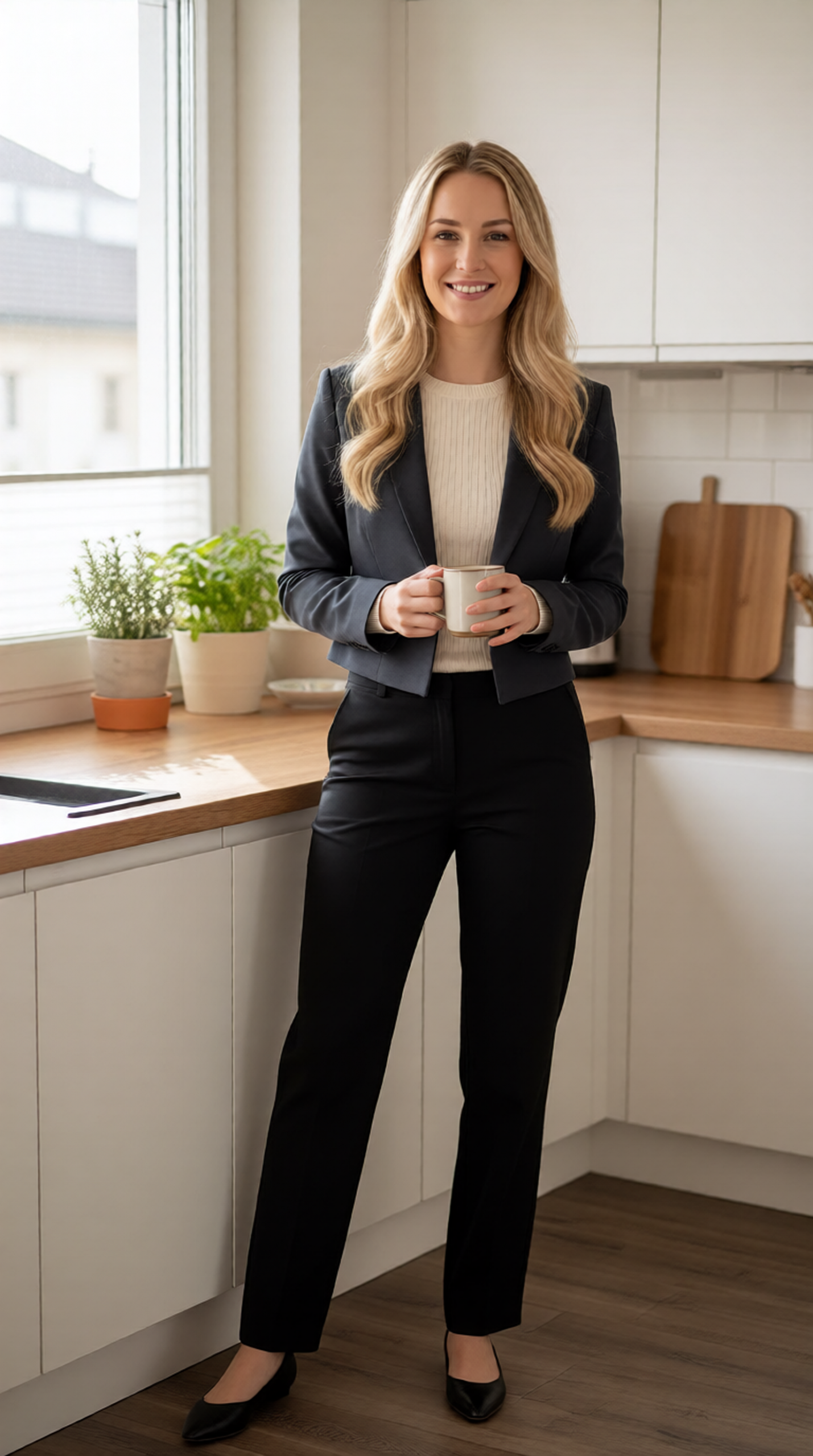
Look at the shoulder line first. A blazer should make the upper body look intentional, not boxy. Then look at the break of the trouser and the shoe shape. These small details decide whether the look reads polished or stiff. For a softer version, keep the trousers and swap the blazer for a short cardigan.
2. The relaxed knit and denim check
The second of these virtual try-on edits tests ease. An oatmeal crewneck, light-wash straight jeans, low-profile sneakers, and a tan crossbody bag create a low-pressure weekend outfit. It is a smart direction to compare against tailoring because the silhouette stays clear while the mood changes completely.
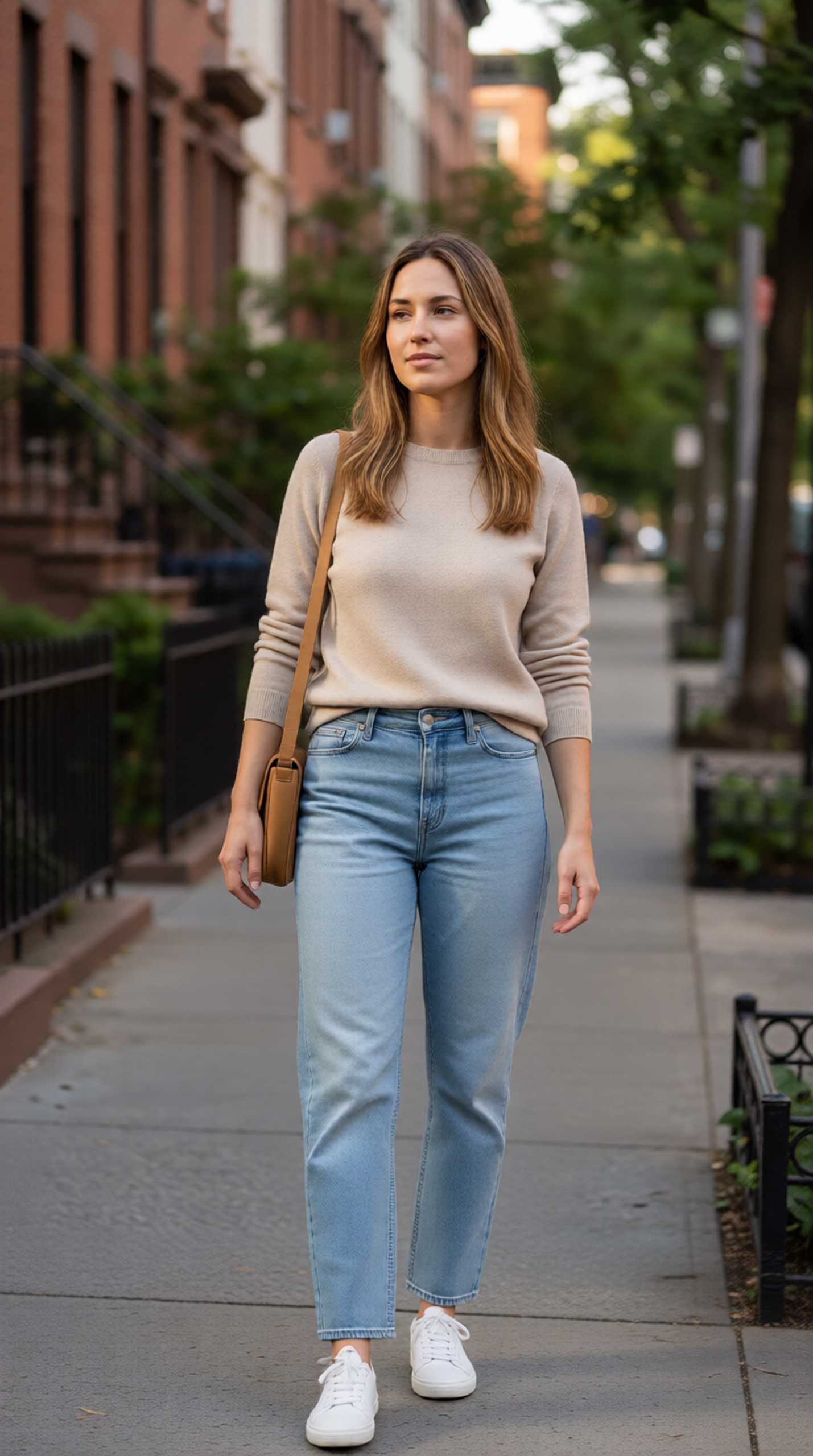
Do not judge this one by whether every stitch looks perfect. Judge the proportions. Does the knit stop at a useful point on the hip? Do the jeans make the body look balanced? Does the lighter palette make the face look rested? A try-on image is especially good at answering those broad questions before a new basic takes up wardrobe space.
3. The cherry jacket after-dark switch
One strong color can turn a safe outfit into the one worth saving. A deep cherry leather jacket over a black ribbed midi dress gives the photo a defined focal point while leaving the rest of the silhouette simple. This is the right test for anyone stuck between buying another neutral layer and choosing something with more character.
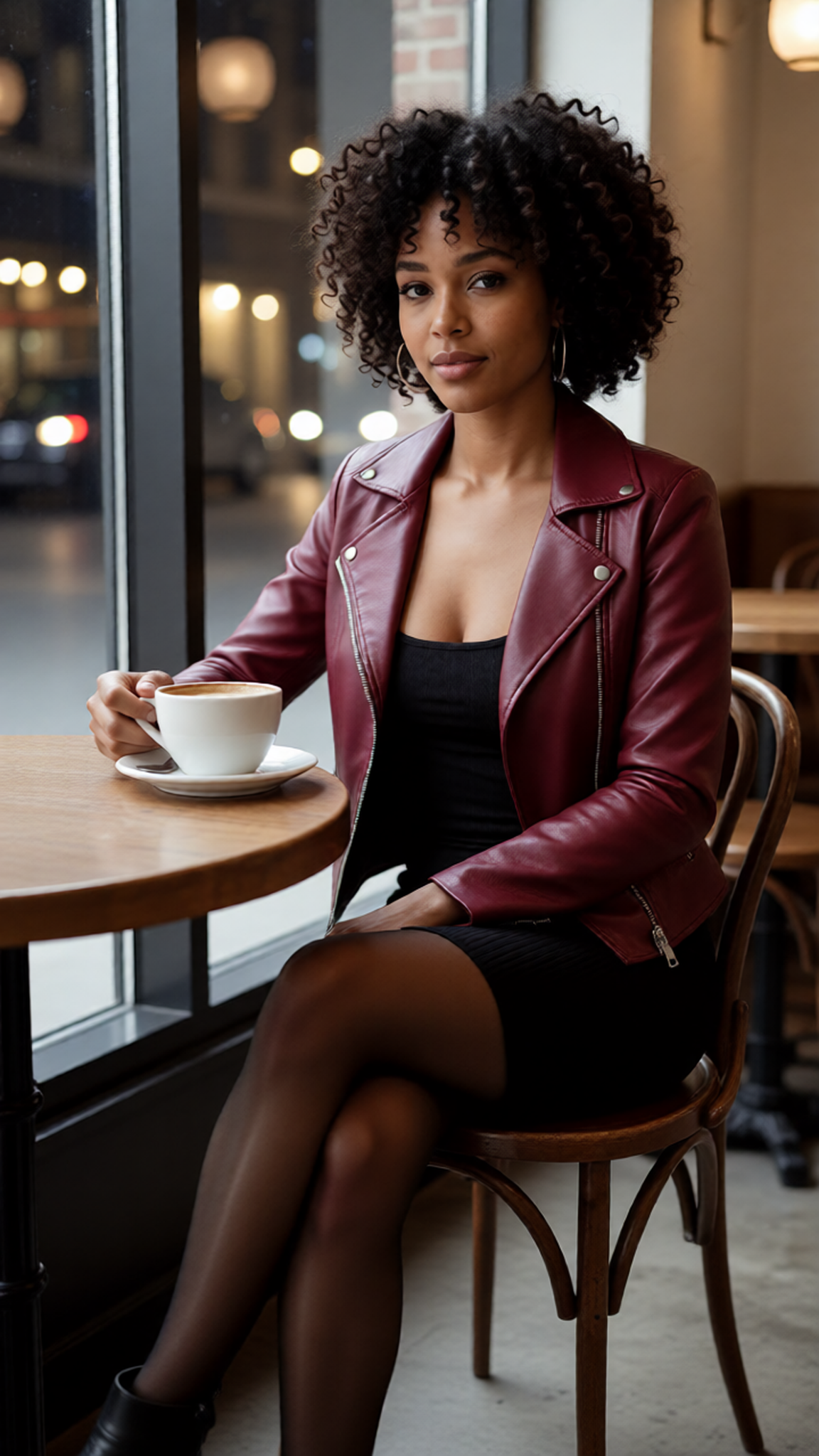
Study the color near the face before getting distracted by the jacket. A shade can look great on a product page and still feel wrong in a personal photo. The virtual version makes it easier to test the contrast. If the cherry reads too loud, keep the dress and try a dark plum or oxblood outer layer instead.
Make each comparison useful
Good virtual try-on edits start with a simple source image. Use a full-body or three-quarter photo with even light, visible arms, and enough room around the outfit area. Avoid a mirror selfie with a phone covering the torso if the goal is to judge tops or jackets. The model has less to guess when the starting picture is clear.
- Name the garment: Write blazer, straight jeans, midi dress, or loafers instead of vague words such as nice outfit.
- Name the fit: Add cropped, relaxed, high-waisted, fitted, straight-leg, or oversized when it matters.
- Protect what should stay: Ask to keep the same person, face, hair, pose, and camera angle.
- Test one shift at a time: Change the jacket or the jean cut before changing both the outfit and the location.
- Save the finalists together: A side-by-side view exposes the one that has better balance quickly.
That last step matters. A single output can look convincing on its own. Three images make the comparison useful. It becomes easier to see that the tailored look has better shoulders, the casual look has the most wearability, or the colored jacket gives the strongest photo without becoming a costume.
Keep expectations realistic
Virtual try-on edits can help with color, silhouette, and style compatibility. They cannot tell you whether a waistband will pinch after dinner, whether a fabric will feel scratchy, or whether a size medium will fit. Treat the image as a visual filter, then rely on size charts, reviews, return terms, and fabric details for the practical part.
That distinction keeps the process useful. Try a structured look, a relaxed look, and one bolder option. Compare them on the same photo. Keep the direction that makes the person in the frame look most comfortable, not just the one with the most dramatic styling.
New image-editing tools can preserve a pose while changing clothing and setting, which makes these quick visual tests much easier to run. The best result still comes from a clear input and a narrow request. One outfit decision at a time is enough.
Get this look in FashionKit
Try these effects on your own photos – free to start.