
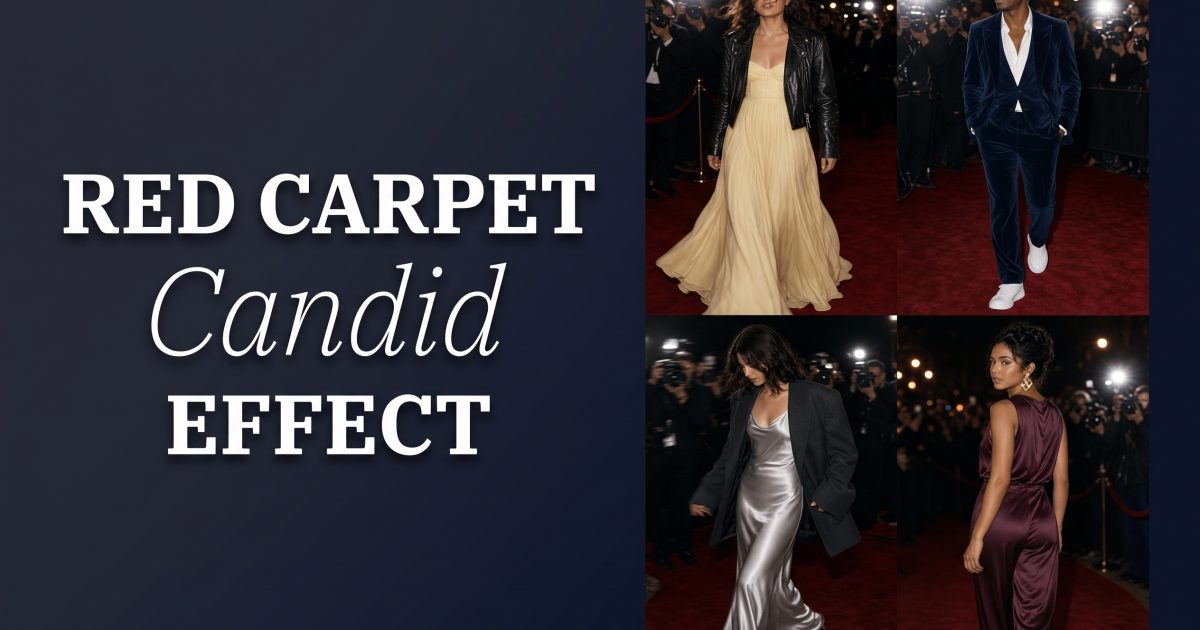
The red carpet candid effect turns a dressed-up outfit into a creator-style moment: direct flash, movement, a premiere entrance, and no overly perfect pose. It works because the clothes look considered while the frame feels caught on the way somewhere. Think less formal portrait, more friend-with-a-phone outside a screening.
That contrast makes this a useful outfit test before a party, dinner, launch, or date night. A candid frame quickly shows whether the hem, jacket, bag, and shoes hold together in real light. Keep the styling intentional, then let the composition stay a little loose.
Why the red carpet candid effect looks convincing
The best version has one polished element and one relaxed element. A floor-length dress with a leather jacket, velvet tailoring with sneakers, or a silver slip with an oversized blazer all create that tension. If every piece looks formal, the photo can read like an awards-season costume. If every piece looks casual, the premiere mood disappears.
Direct flash is the second ingredient. It catches satin, velvet, silver hardware, and glossy makeup. It also creates small shadows that make a flat phone image feel more immediate. Adobe’s guide to flash photography explains why flash helps freeze movement and bring shape to a low-light scene. For this effect, a slight blur in one hand or one step is welcome. A blurred face is not.
Start with a photo where the full outfit is visible from head to toe or at least knee to shoe. Use an off-center stance, look past the camera, or adjust a sleeve. Avoid a rigid straight-on pose. The point is a quick arrival, not a posed press-wall shot.
4 red carpet candid effect looks to test
1. Butter yellow gown with black leather
A soft butter yellow gown brings light to a night frame. Add a cropped black leather jacket for contrast. The jacket gives the shoulders structure, while the gown keeps the movement. Choose black pointed boots or a simple slingback rather than a heavy platform. A small black shoulder bag keeps the color story clear.
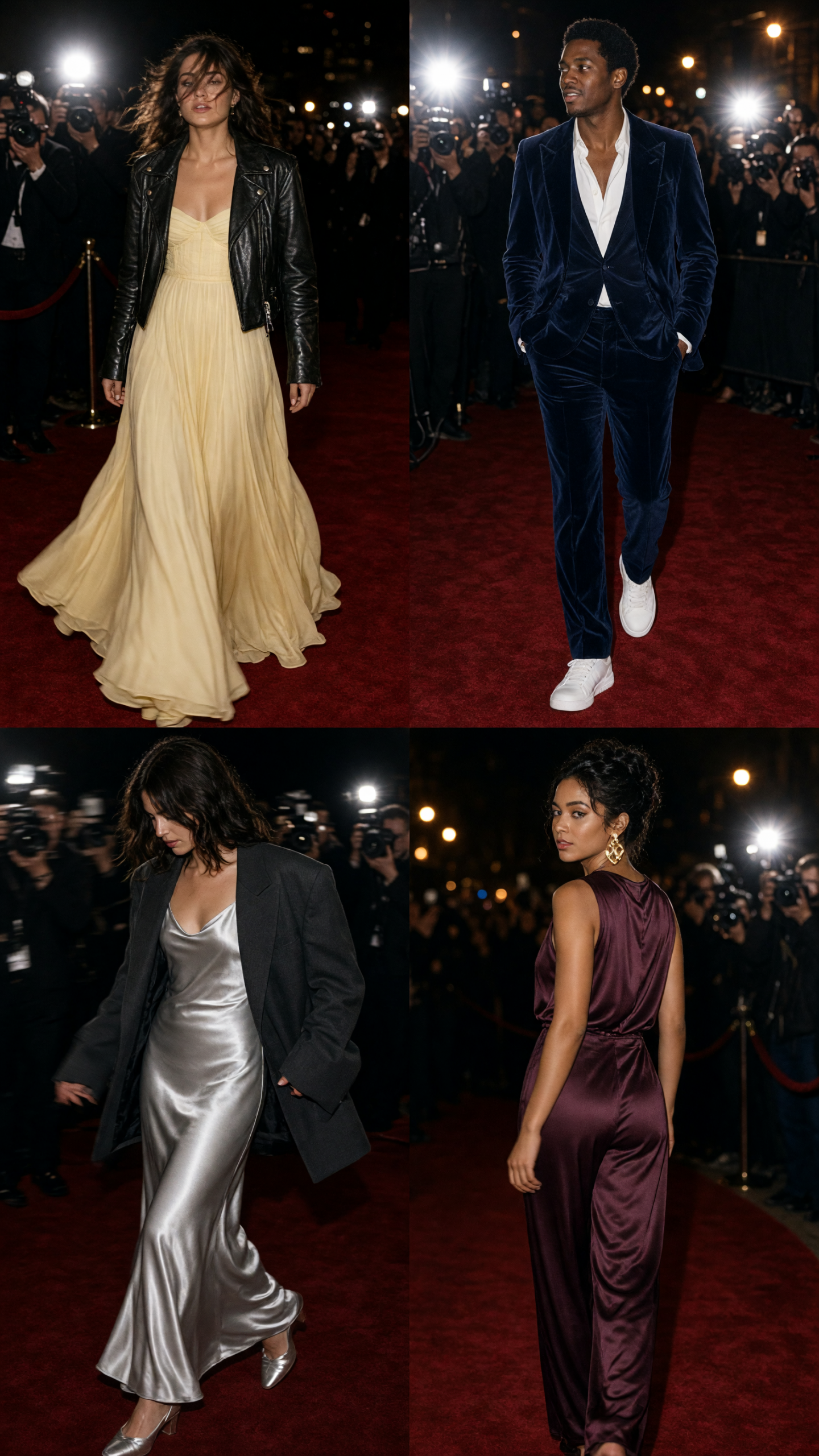
Try this prompt: “Full-length candid red carpet arrival, butter yellow satin column gown, cropped black leather jacket, black pointed boots, direct phone flash, stepping past velvet ropes, looking away from camera, slight motion in the hem, realistic street-style photo.” Keep the yellow muted. A lemon shade can overpower flash and shift the look toward costume.
2. Navy velvet suit with sneakers
Navy velvet has enough depth for flash without turning black in every shadow. Pick a relaxed single-breasted jacket, a close-fitting tee or bare neckline, and trousers that break lightly at the ankle. White retro sneakers make it feel like a creator leaving an event rather than a guest dressed for a banquet.
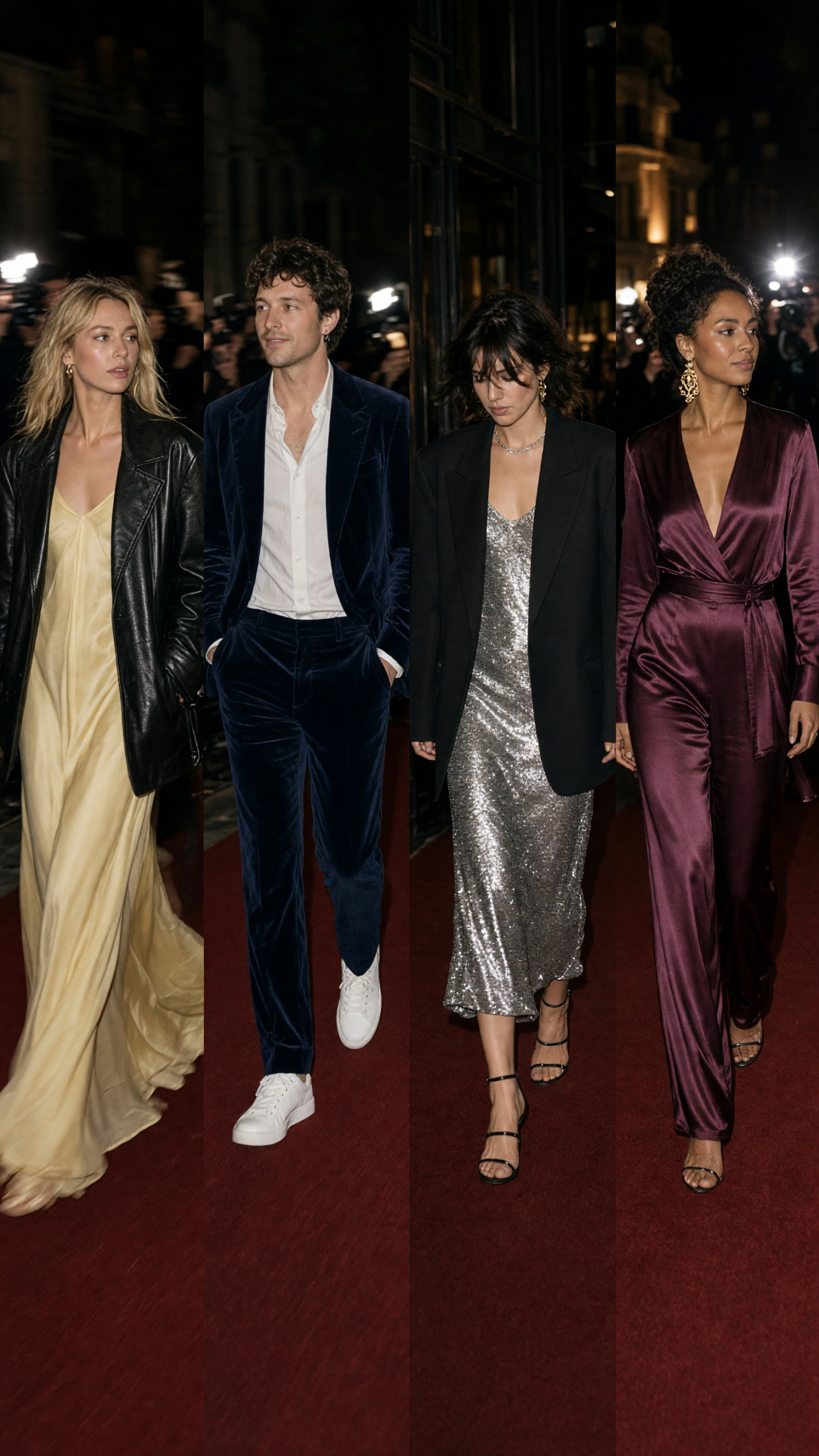
Try this prompt: “Candid evening event photo, navy velvet suit with relaxed trousers, clean white retro sneakers, direct flash, walking beside a cinema entrance, one hand fixing jacket cuff, candid framing, realistic flash photography.” Leave a little pavement or marquee light in the background. That setting tells the story faster than a blank backdrop.
3. Silver slip dress with an oversized blazer
A silver slip dress gives flash something to catch, but the oversized blazer stops it from looking too literal. Use a charcoal, black, or soft dove-gray blazer. Let one shoulder slip back slightly if that feels natural. Keep jewelry small: a thin chain, one ring, or a slim metal watch. Large statement earrings can compete with the reflected light.
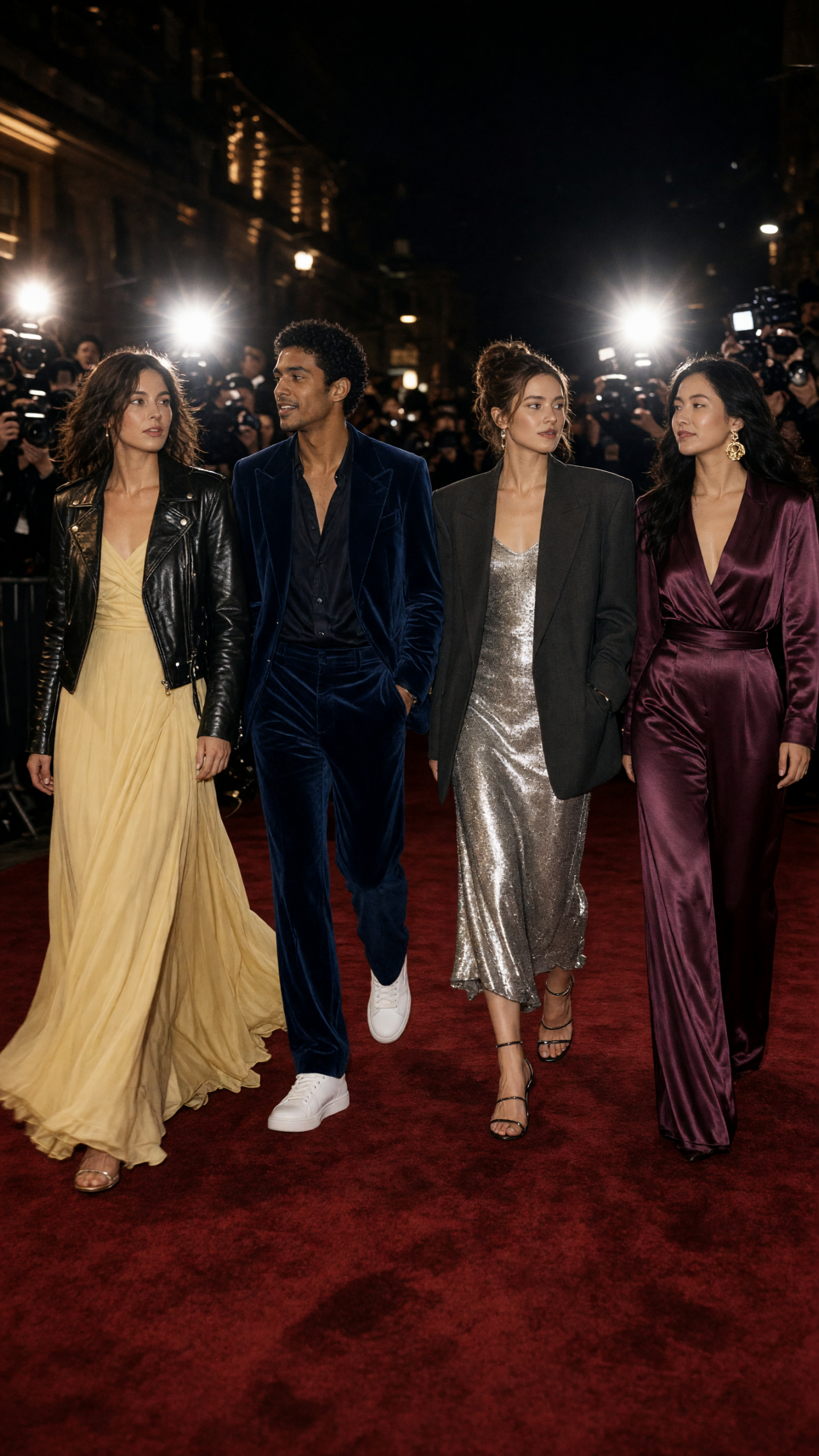
Try this prompt: “Realistic candid flash photo outside a premiere, silver bias-cut slip dress under an oversized charcoal blazer, minimal silver jewelry, small black clutch, walking toward camera but looking to the side, subtle film grain, natural skin texture.” Ask for natural skin texture and a small clutch. Both details keep the image from looking overly styled.
4. Plum satin jumpsuit with gold detail
Deep plum is a smart alternative to a red dress. It photographs rich under flash and still feels fresh. Look for a jumpsuit with a defined waist or a clean wide leg. Add one gold detail, such as a cuff, small hoops, or a compact bag clasp. More gold can make the outfit feel busy.
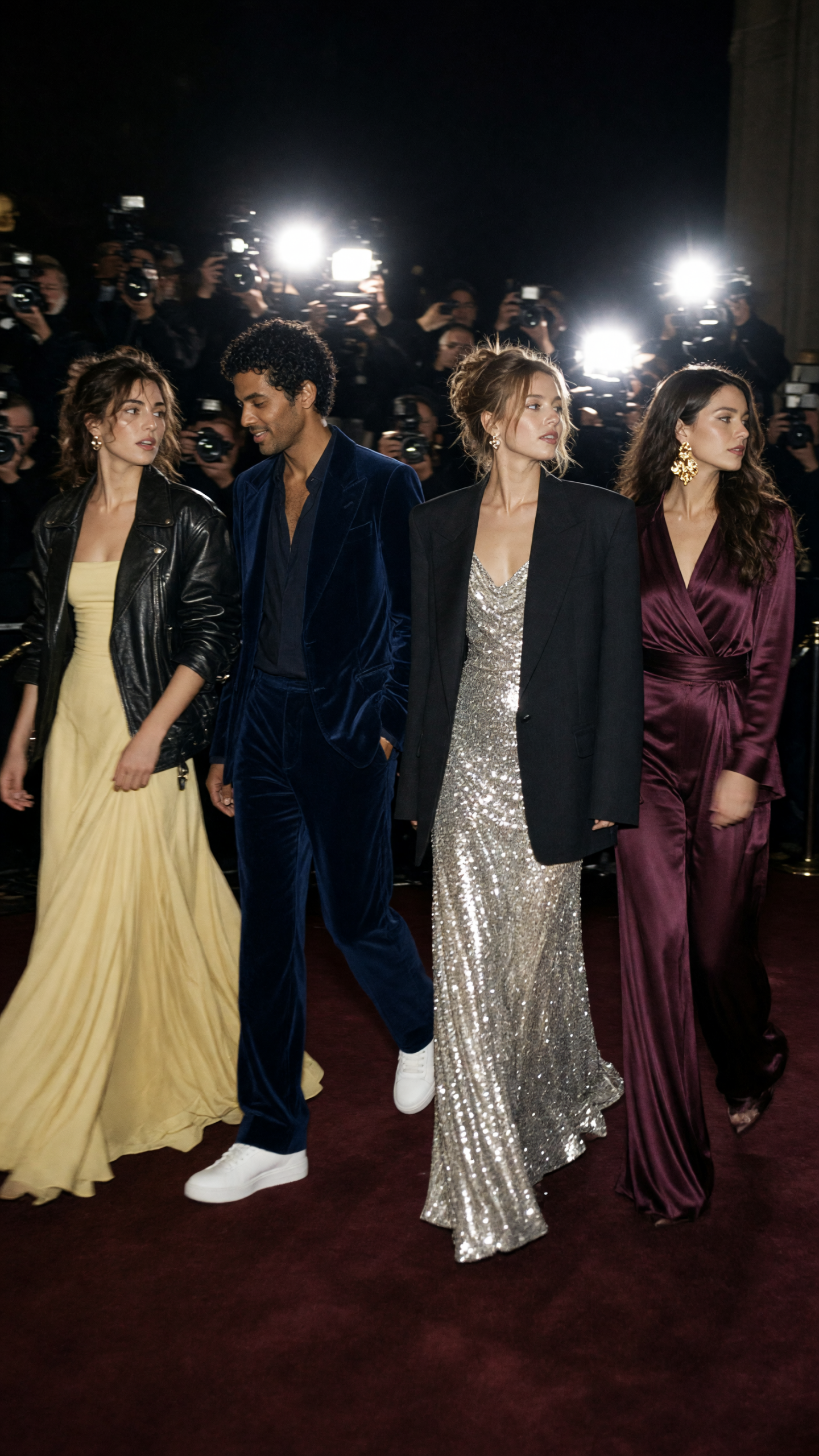
Try this prompt: “Candid red carpet photo at night, deep plum satin wide-leg jumpsuit, defined waist, delicate gold cuff, direct camera flash, turning while leaving an event, city lights behind, slight movement, editorial but unposed.” If the fabric looks too shiny, swap “satin” for “matte satin” or “crepe-backed satin.” The shape will still read on camera.
Production tips for a candid flash frame
Use one main light source. A phone flash or a clear direct-flash look works better than soft studio lighting. Place the subject near an entrance, sidewalk, or event-style wall, but do not make the background too busy. A few people in the distance, a velvet rope, or a glow from signage is enough.
Build movement into the prompt or pose. Take one step, turn the torso, lift a hand to the jacket, or look toward a friend. Keep the face sharp. If the shot feels too posed, reduce the instruction to “candid” and add a simple action such as “walking past camera.”
Use this effect for a party invite, a concert-night outfit check, a fashion reel cover, or a before-you-buy virtual try-on. Test the colors first, then decide whether the real outfit needs more texture, a stronger shoe, or a quieter accessory. For more outfit-testing ideas, browse FashionKit’s fashion trends.
Get this look in FashionKit
Try these effects on your own photos – free to start.






3 Comments