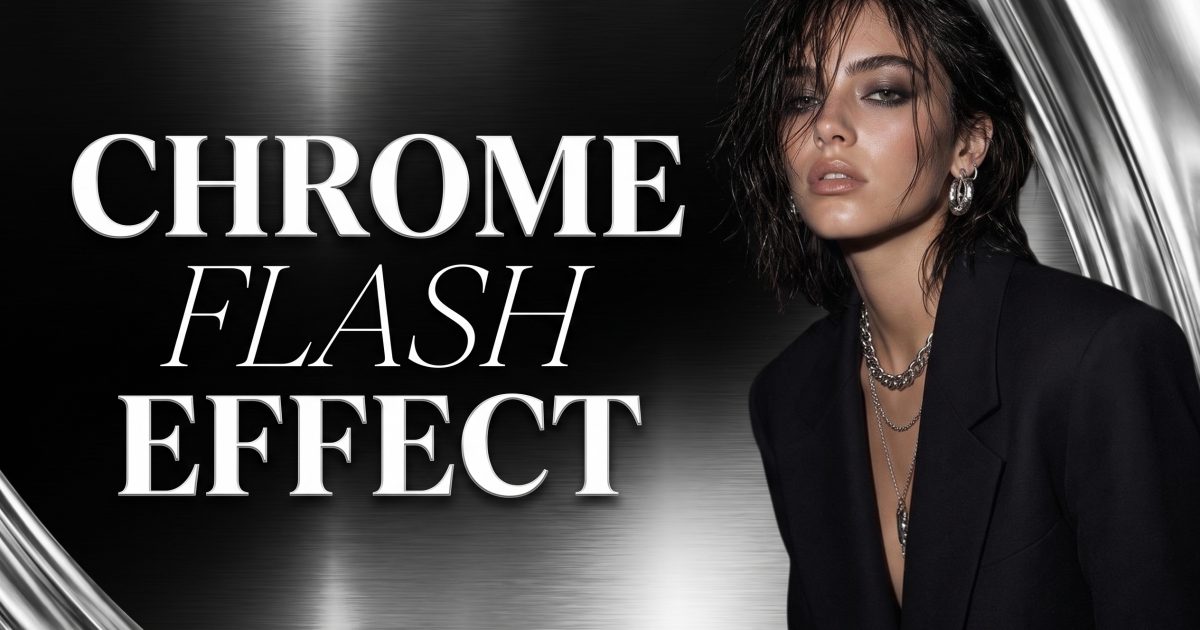
The chrome flash effect turns a simple after-dark outfit into something that looks caught outside a club at 1 a.m. Think direct on-camera light, a dark background, reflective details, and a pose with a little attitude. The trick is restraint: one bright hit of light and a tight outfit story will read better than a pile of silver accessories.
This look borrows the tension of early-2000s party photography, but it does not need a costume. A black blazer, a satin skirt, a chrome bag, or a pair of sharp sunglasses can be enough. Keep the setting spare so the flash has somewhere to land.
Chrome flash effect: the two creator looks
Look 1: tailored silver with a hard flash
Start with black tailoring. A fitted blazer, straight trousers, a mini skirt, or a clean column dress gives the frame a strong outline before the shine arrives. Then add one metallic focal point: a silver shoulder bag, pointed heels, a cuff, or a thin chain belt. One reflective item is often more convincing than four.
For the photo, stand three-quarters to camera and leave one shoulder slightly forward. Keep your hands busy with the bag strap, lapel, or waistband. A flat front-facing pose can make a blazer look stiff. Turning your torso creates a sharper line and gives the flash different surfaces to catch.
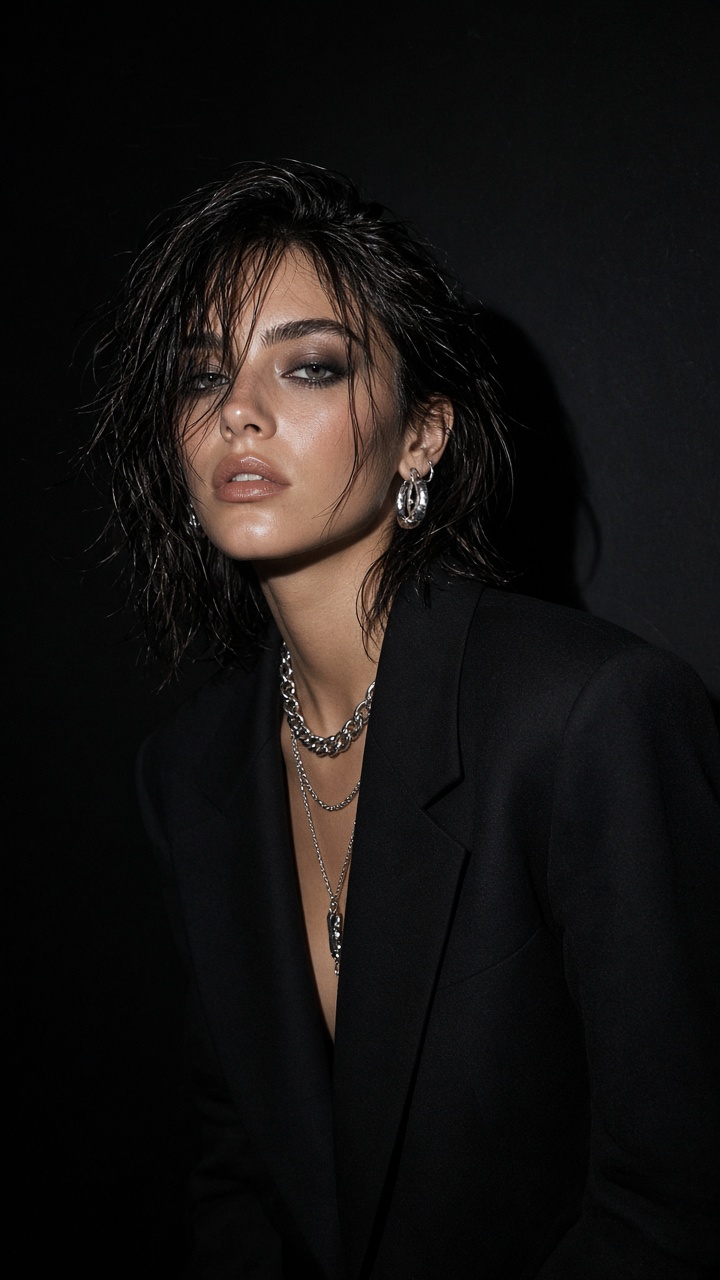
Prompt to try
Use: editorial night portrait, black fitted blazer and tailored trousers, silver shoulder bag, dark concrete wall, direct on-camera flash, sharp shadows, realistic skin texture, candid fashion magazine frame.
Change only one part at a time when testing. Swap the trousers for a micro skirt, then switch the bag for a chrome cuff. That makes it easier to see whether the outfit lost its clean silhouette. If a metallic piece turns too bright, ask for brushed silver rather than mirror chrome.
Styling and production notes
Matte black fabric keeps the image grounded. Wool, crepe, or a plain knit works well beside metal. Avoid a shiny jacket, shiny pants, and a shiny bag together; the flash can flatten them into one bright patch. A small black backdrop, a parking-garage wall, or an unlit doorway works better than a busy bar interior.
Look 2: glossy after-dark with a close crop
This version is softer in silhouette and stronger in finish. Start with a slip dress, a sheer long-sleeve top, a fitted bodysuit, or a simple halter. Add a glossy accessory close to the face: lacquered sunglasses, a patent clutch, wet-look hair, or a silver ear cuff. The direct flash turns those small details into the story.
Use a closer crop than the tailored look. Frame from mid-thigh or waist up, angle your chin slightly away from the lens, and look back at camera. Keep the expression relaxed. The chrome flash effect looks best when the pose feels like an interrupted moment rather than a carefully staged portrait.
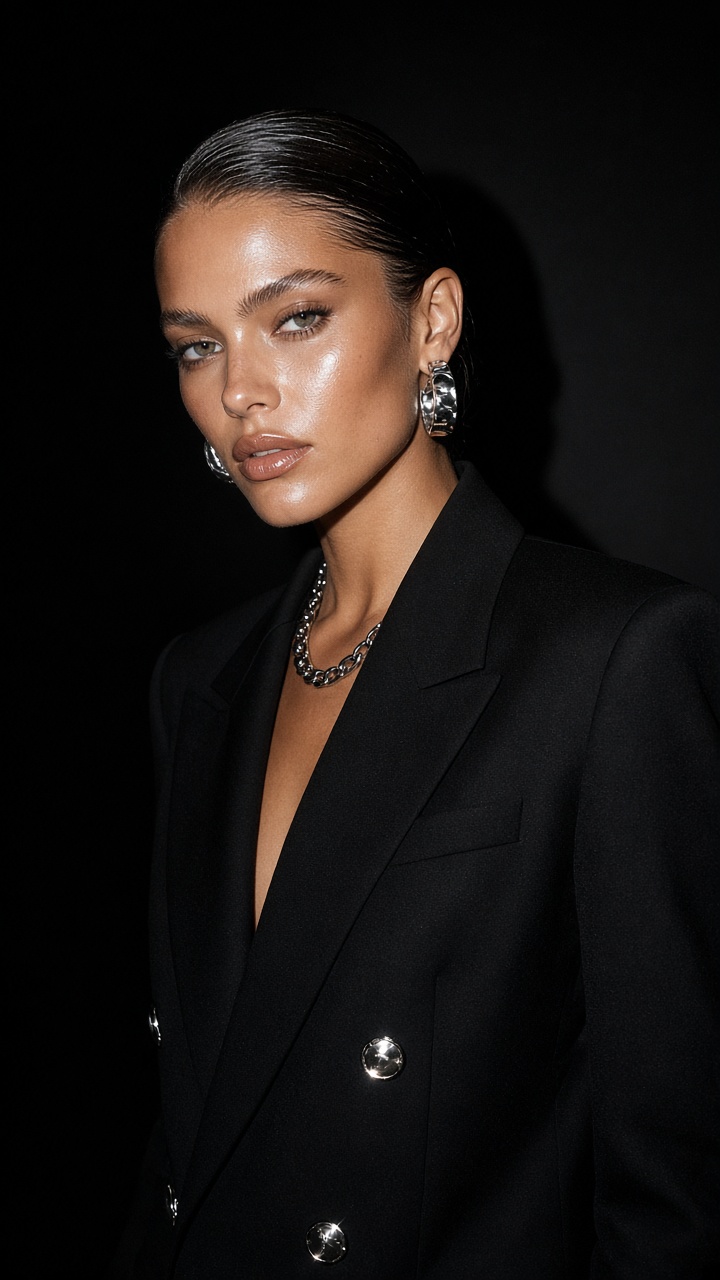
Prompt to try
Use: close fashion portrait after dark, black satin slip dress, slicked-back hair, silver ear cuff, small patent bag, direct camera flash, deep charcoal background, candid nightlife editorial, crisp fabric detail.
For a bolder version, replace the satin dress with a cherry-red top and black leather jacket. For a quieter version, keep the whole outfit black and let only the jewelry reflect. Both choices keep the image focused. Add a little motion by lifting a shoulder or taking one step toward camera, but keep the face sharp.
How to make the flash work without losing the outfit
Direct flash needs contrast. Start with a darker scene and leave a little space behind the subject. A pale wall can work, but it should fall into shadow rather than glow evenly. The point is the small, bright highlights on the outfit, not an overexposed background.
Give the image a clear light instruction: direct on-camera flash, hard shadow, dark background, and sharp focus. Then add one texture cue, such as satin, polished leather, silver metal, or glass. Too many effect words can make the result muddy. Fashion photography guidance from Adobe Lightroom’s flash photography overview also makes the same useful point: flash direction changes how texture and contrast read.
Before posting, check the details that often break the mood: jewelry should not merge into the skin, bag straps should sit naturally, and the flash should not erase the eyes. If the image looks too polished, request a candid pose, slight head turn, and imperfect direct flash. That tiny bit of friction is what makes the look feel current.
Where this look earns a save
The chrome flash effect works for dinner reservations, birthday outfits, concert-night recaps, club flyers, and a simple mirror selfie that needs more bite. It also gives outfit-planning posts a clear before-you-buy use case: test whether silver accessories fight with the hemline, jacket, or shoe choice before committing to the full look.
For a carousel, lead with the close crop, follow with the full outfit, then add a detail shot of the bag or jewelry. For video cover art, use the tailored look because the strong shoulders still read at a small size. If you want another flash-forward outfit idea, try the red carpet candid effect for more movement and event energy.
Use FashionKit to test the outfit silhouette, metallic detail, and direct-flash mood on your own photo before getting dressed.
Get this look in FashionKit
Try these effects on your own photos – free to start.