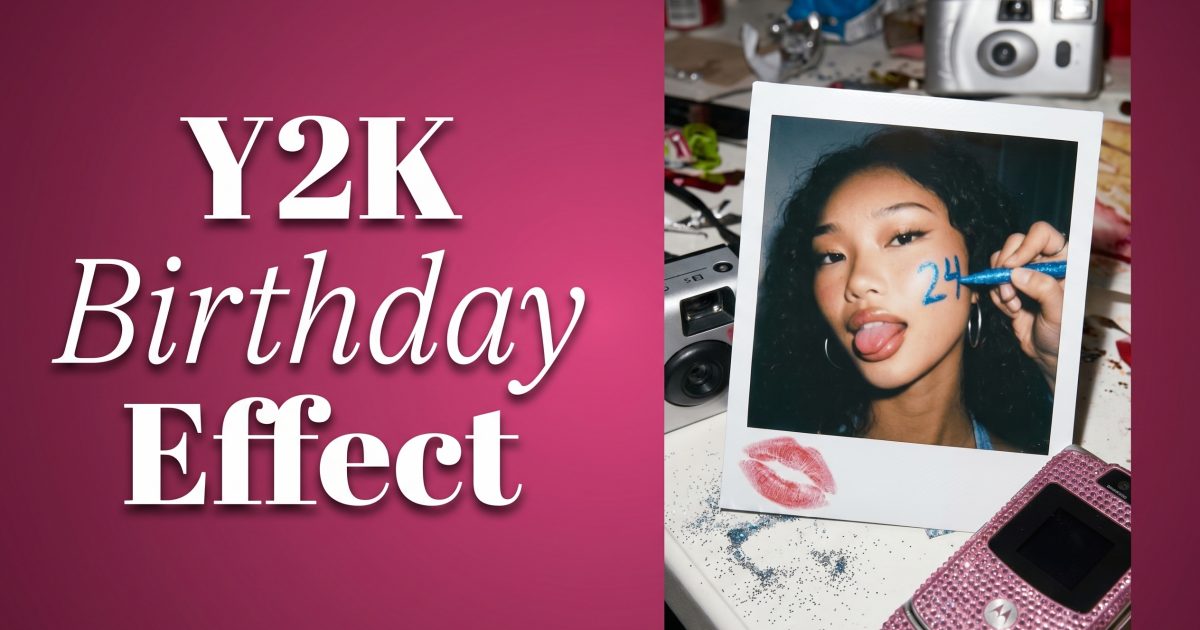
The Y2K birthday caption effect turns one clear portrait into a party post with the age, mood, and outfit built into the image. Think glossy flash, bubble lettering, candy colors, and enough empty space for the caption to read at a glance. The key is keeping the photo personal rather than covering it with random stickers.
Start with a photo where the face is sharp and the shoulders are visible. A front-facing flash photo, mirror selfie, or waist-up party picture works best. Pick one main color family before editing: pink and silver, aqua and lime, or lavender and chrome. That one decision keeps the finished image looking like a look, not a crowded scrapbook.
How to create a Y2K birthday caption effect
Choose the birthday detail first. It can be an age, a short phrase, or a tiny date. Keep it to three to five words. Captions such as Twenty, Flirty, Thriving, Level 21 Unlocked, or Birthday Babe 2000s give the visual a clear focal point. Put the text above one shoulder, across the lower edge, or inside a Polaroid border. Avoid placing it across the eyes or mouth.
Next, match the caption to the outfit. A baby tee, metallic bag, denim mini, rhinestone top, or pink tracksuit gives the photo an instant Y2K cue. If the original outfit is simple, use the edit to add one fashion detail instead of changing everything: a silver shoulder bag, tinted sunglasses, glossy lip color, or a visible charm necklace. Small choices look more believable than a head-to-toe costume.
Look 1: Polaroid party frame
A Polaroid frame makes a birthday image feel like it came from a disposable camera roll after the party. It works especially well for a cake photo, a photo booth pose, or a solo mirror selfie. Use a bright background and leave a little room around the body. The frame needs breathing space.
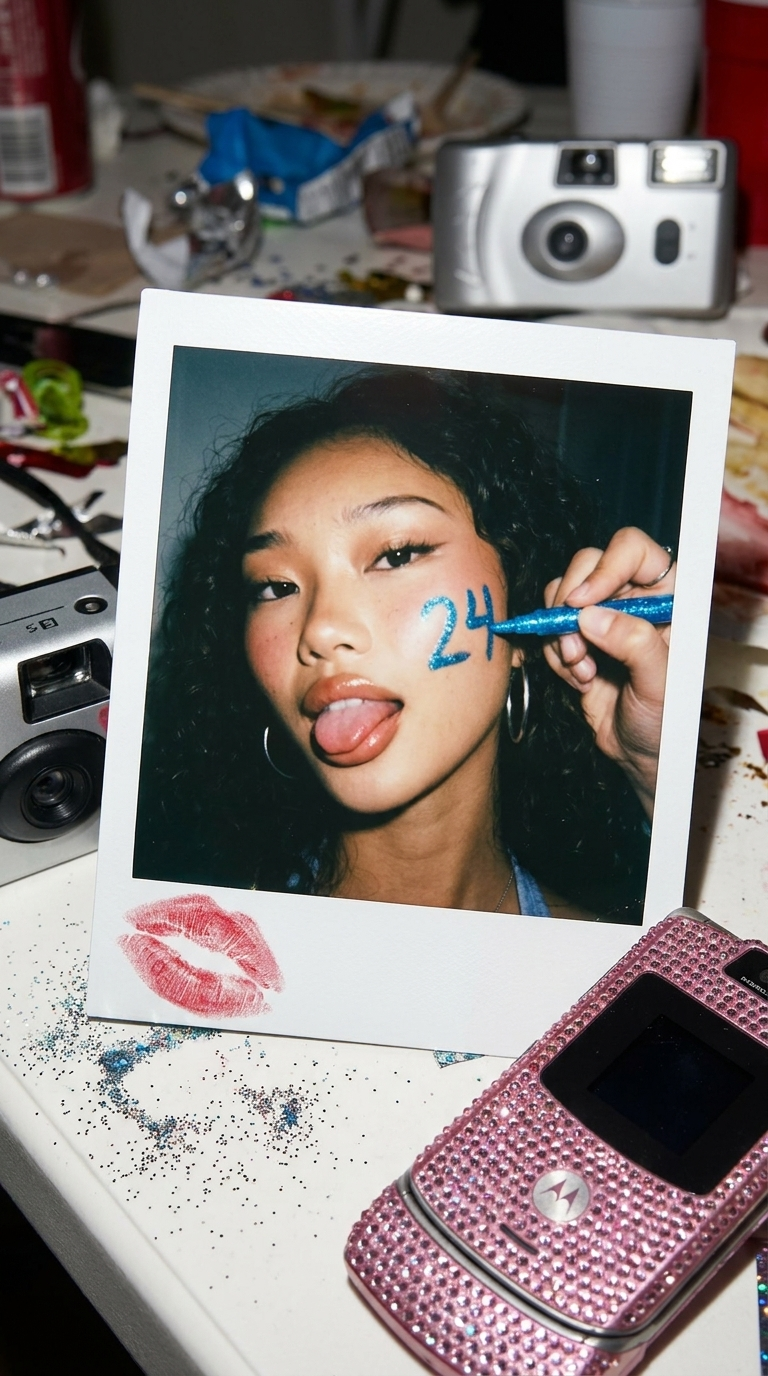
How to build the Polaroid look
- Use a portrait with direct flash or bright window light. Soft, low-contrast photos can lose their detail once the frame and grain are added.
- Choose an off-white border rather than pure white. Add a wider lower edge for the age or a short handwritten-style line.
- Use one texture only: subtle film grain, faint timestamp marks, or a tiny flash glare. Stacking all three can make the face look muddy.
- Keep the caption dark enough to read. Black, hot pink, or cobalt works better than pale yellow on a cream border.
Try this prompt: Turn this portrait into a 2000s birthday Polaroid, direct camera flash, soft film grain, glossy pink balloons in the background, silver party streamers, off-white instant-photo border, leave a wide lower border with the caption LEVEL 21 UNLOCKED, keep the face natural and the outfit sharp.
For a more fashion-led version, swap the balloons for a pink bedroom, chrome star balloons, or a mall-photo-studio backdrop. Keep the lighting direction consistent with the original photo. If the source image uses flash, ask for flash. If it uses daylight, ask for warm daylight. That detail stops the edit from looking pasted together.
Look 2: caption-led birthday scene
This version makes the caption part of the set. Instead of a label at the bottom, the age appears as a big visual object: inflated silver numbers, bubble type behind the subject, or a rhinestone-style headline beside the cake. It suits milestone birthdays and posts where the outfit deserves as much attention as the party setting.
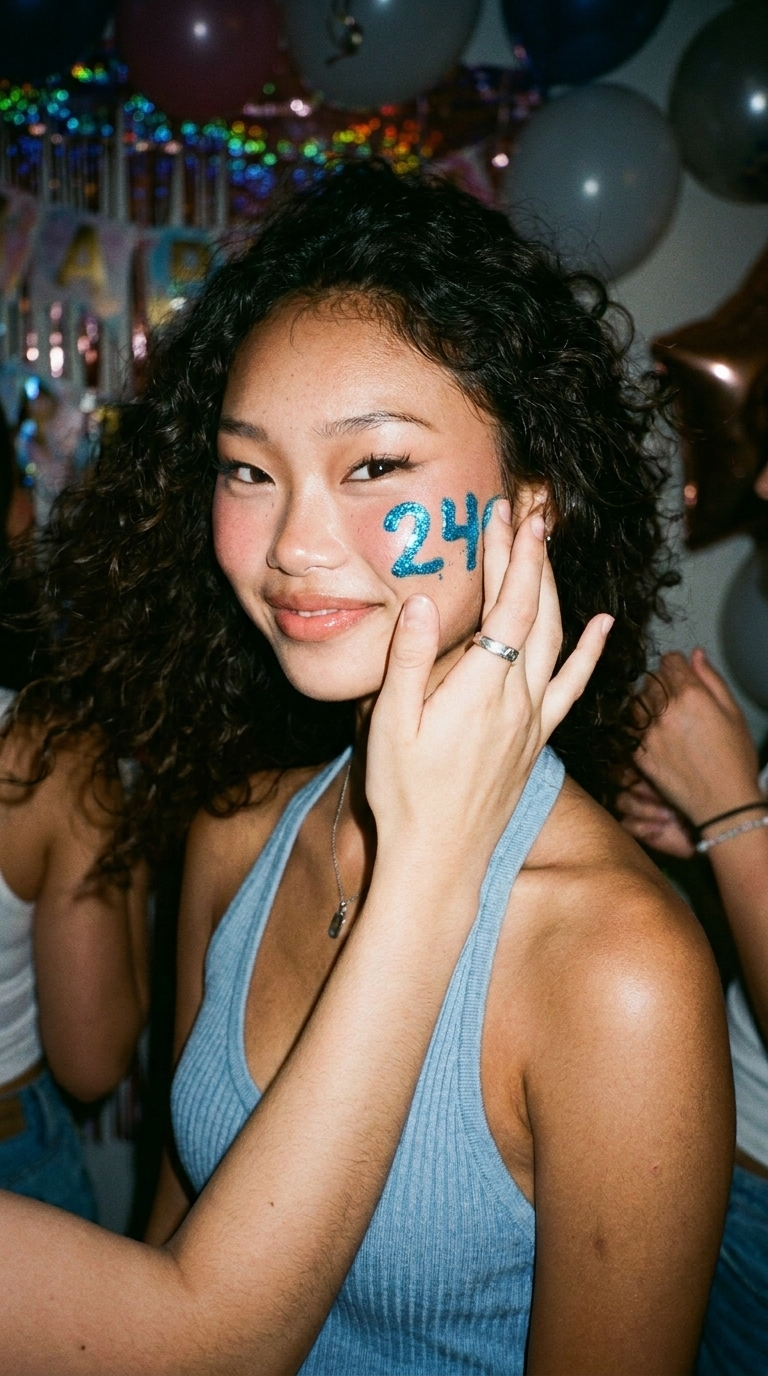
How to make the text feel part of the photo
- Choose a single word or number as the hero. A large 18, 21, 25, or 30 reads faster than a full sentence.
- Place it behind the body, beside the head, or along the floor line. Keep the face clear and let the caption sit in negative space.
- Match the type treatment to the accessories. Chrome lettering pairs well with silver jewelry; bubble pink type suits gloss, rhinestones, and a tiny shoulder bag.
- Ask for a clean background before adding more props. A cake, a gift bag, and one balloon cluster are enough.
Try this prompt: Create a Y2K birthday party scene from this portrait with oversized chrome number 25 balloons behind the subject, pink cake with candles, aqua and magenta flash photography, glossy makeup, rhinestone shoulder bag, playful bubble caption BIRTHDAY MODE, keep the person recognizable and keep the outfit proportions realistic.
For a friend-group post, make the caption the only edit direction and keep each person distinct: Keep all faces and outfits recognizable, add a silver balloon banner reading BIRTHDAY CREW, direct flash, pink and blue party lighting, early-2000s photo booth mood. Group photos need shorter instructions because too many wardrobe changes can blur hands, faces, and accessories.
Prompt and production tips
Use the original photo as the source whenever possible. The best Y2K birthday caption effect still looks like the person in the photo. Mention what must stay unchanged: face, hair length, pose, body position, or the existing top. Then describe only the changes that matter. Ask for readable text, but check the final spelling before posting. If the age looks wrong or the numbers distort, rerun the edit with just the number and its placement changed.
Portrait crops work well for Stories, Reels covers, and profile grids. Leave extra space above the head for a Story title. A square crop works for a carousel cover, while a 4:5 portrait crop gives the outfit more room in the feed. Export the clean version first, then make one alternate with a bolder caption. That gives a choice without forcing every platform to use the same layout.
Where these birthday looks work
Use the Polaroid version for a low-key birthday dinner, a cake close-up, or a photo dump opener. Use the caption-led scene for a milestone post, invitation graphic, countdown, or a Reel cover. Both work well when trying on a party outfit before buying it: test a metallic top, a mini bag, and a statement jacket in the same mood as the planned post. The photo becomes a styling check as well as a caption idea.
Keep the final caption outside the image short. Let the visual carry the age, then use the post text for one personal line. A photo that says Level 21 Unlocked doesn’t need another paragraph explaining the same idea. Clean text, a clear outfit, and one memorable color combo will do more than a screen full of stickers.
Get this look in FashionKit
Try these effects on your own photos – free to start.